If you wish to display and download your invoice in PDF format, please follow these steps:
1. Log in to your customer area by clicking on the link https://shop.kaspersky.com/enduser-portal/login. (URL to confirm later)
You must enter the email address used for the initial order and the password you created.
If you no longer remember your password, we invite you to click on "Forgot your password?".
2. Click on the "Orders" tab and choose the order for which you would like to see the invoice.
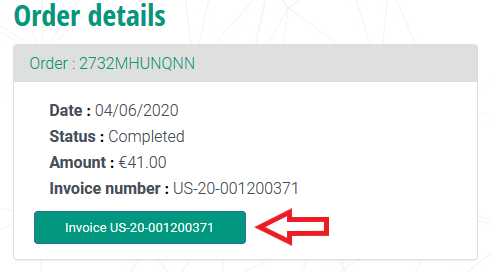
3. Click on the green button in order to display your invoice. You then will be able to print it or to download it in pdf format.